Rec Room: A New Semester Updates & Roadmap
Steam news digest, launch timing, Early Access plans, SDK milestones, and seasonal events.
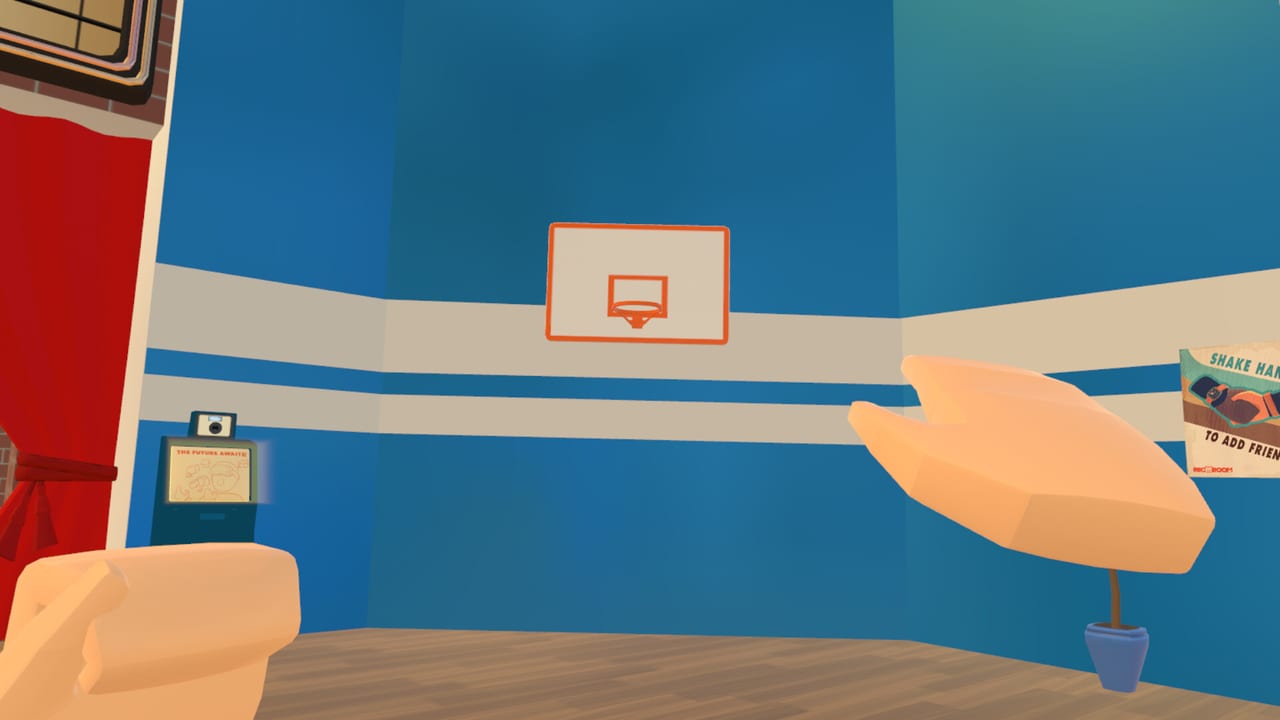
Welcome to the Updates Hub for Rec Room: A New Semester (RR:ANS) on Steam. This section tracks what is shipping, what is planned for Early Access, and how seasonal content lands after the November 24, 2026 Early Access start. Use it alongside the Getting Started guide when you want calendar context, not just button layouts.
This wiki is an unofficial fan resource. It is not affiliated with Rec Room Inc. RR:ANS is developed by Thunderstorm Games / Bypasser and published by Bypasser with Team - VR. Always confirm dates on the official Steam page and the community Discord.
What this hub covers
- Steam news digest — VR headsets posts, achievements showcase caveats, wishlist milestones, fake-site warnings, and Discord pointers in the Steam News Digest.
- Launch timing — Early Access date, wishlist habits, and day-one expectations in the Launch Guide.
- Roadmap depth — roughly two years of Early Access, December SDK goals, Workshop plans, evolving-menu disable option, and Winter Wonderland cosmetics in the Roadmap.
- Hardware readiness — pair update notes with System Requirements and the VR Headsets matrix before you buy a new HMD.
- Cosmetic seasons — rarity tiers and event outfits live under Tier List, the Cosmetics Guide, and Winter Wonderland.
Early Access snapshot
RR:ANS launches into Steam Early Access as a free forever social sandbox with no microtransactions. The studio has signaled about two years of EA before a fuller 1.0-style milestone. That long window means systems will iterate: rooms, Creator Pen tooling, avatar pipelines, RROs, story mode, Steam Achievements, and later Workshop / SDK imports.
Day one is about the social loop—create an avatar, meet friends, explore rooms, and try Creator Pen basics—rather than a finished live-service economy. Promo codes may appear later for events; do not invent codes here. When official drops land, we will document redemption steps without claiming affiliation.
How to follow changes
- Wishlist and follow the Steam app so patch notes arrive in your library feed.
- Join Discord for build windows, hotfix chatter, and Winter Wonderland day counts.
- Re-check this hub and the Steam News Digest after major Steam news posts; child pages get expanded summaries.
- Cross-read Story Mode, RROs, and Creator Pen when narrative or creation tools ship new chapters.
- Verify VR drivers and SteamVR before each large client update—see VR Controls.
Seasonal and cosmetic cadence
From December 1, Winter Wonderland cosmetics are planned across a 25-day window. Treat that as a cosmetics calendar, not a paid battle pass: the game stays free with no MTX. Rarity still matters for collectors—tiers run from 1★ Common through 8★ Gaming Legends (for example Visitors Helmet at Gaming Legends). Track drop windows on the Cosmetics Guide, Winter Wonderland, and rarity framing on the Tier List Hub.
December is also the target window for an SDK aimed at room and avatar import workflows. Creators who already sketch ideas in Creator Pen should watch that milestone closely; Workshop-style sharing (UIs, keybinds, story mods) is part of the longer EA plan.
Platform and VR notes tied to updates
RR:ANS targets Windows, macOS, and Linux on Steam, with PCVR through SteamVR-class headsets (Quest via PC Link / Air Link style setups, Index, Vive, PSVR2 PC paths, Steam Frame plans post-release). Quest standalone is not supported. Big client updates can change performance profiles—revisit System Requirements if a patch raises GPU load, and confirm your headset still appears in the VR Headsets compatibility notes.
Social features across patches
Friends lists, parties, profiles, and room invites will keep evolving during EA. The Players Hub explains social etiquette and party habits that stay relevant even when UI skins change. When community tools or official link destinations move, the Links Hub lists Steam, Discord, YouTube, and TikTok destinations with clear anchor text.
Reading order for update hunters
If you only have ten minutes before EA opens: open the Launch Guide, skim System Requirements, then bookmark Roadmap and the Steam News Digest. After you are in-game, jump to Getting Started and VR Controls. Creators should keep Creator Pen and the December SDK notes side by side. Collectors should pin Cosmetics Guide and Winter Wonderland.
FAQ focus for this hub
Update pages answer calendar questions: when EA starts, how long EA may last, what ships in December, and where official announcements appear. Mechanic deep dives stay in Guides. Ranking and rarity stay in Tier List. Hardware stays in Tools. Keeping those lanes separate avoids contradictory patch summaries.
Stay skeptical of third-party “day one code lists” that appear before any official drop—this wiki will only list codes when they are real. Until then, treat Codes as the hub for verified cosmetics guidance and Winter Wonderland as the December deep dive.
Bottom line
RR:ANS is building a free PCVR social sandbox over a long Early Access. This Updates Hub is your index for when things change; child pages explain what to do on launch day, how to read Steam news safely, and why SDK / Workshop / cosmetics milestones matter. Check back after Steam news posts, and cross-link into guides, tools, and tier pages so your play sessions stay aligned with the live build.
Frequently Asked Questions
Quick answers for Rec Room: A New Semester players.
When does Rec Room: A New Semester enter Early Access?
Steam Early Access is scheduled for November 24, 2026. Confirm on the official Steam store page before you plan a launch-day session.
How long will Early Access last?
The studio has indicated roughly two years of Early Access. Exact 1.0 timing can shift—follow Steam news and Discord for milestone updates.
Will updates add microtransactions?
The game is positioned as free forever with no microtransactions. Cosmetic seasons such as Winter Wonderland are not framed as paid MTX battle passes.
Where should I look after a big patch?
Start here, then open the Steam News Digest, Launch Guide, or Roadmap child pages, verify System Requirements, and skim Guides for changed controls or Creator Pen steps.
Where is the Steam news summary?
See the Steam News Digest for VR headset posts, the achievements showcase warning, wishlist milestones, fake-site safety, and Discord links.